Put your best shelf online
Add product photos, prices and categories. Customers can search your catalogue and see what is available.

Made for South African small businesses
Give customers one link to browse your products, fill a basket and place an order. Spaza brings your shop, payments and orders together.
No coding needed. Your products. Your shop identity.
See how you get started
More than a product list
Help customers move from “What do you sell?” to an order you can act on.
Add product photos, prices and categories. Customers can search your catalogue and see what is available.
Send your shop link on WhatsApp, add it to your social profile or share it with a returning customer.
Review incoming orders, payment status and fulfilment details from your seller dashboard.
For your customers
A familiar shopping experience, designed to work on a phone. Try adding this sample product to the basket.
Product details, clear prices and a simple basket.
Collection or local delivery, when offered by your shop.
Customers see the total and choose an available payment method.
Try it out · illustrative shop example
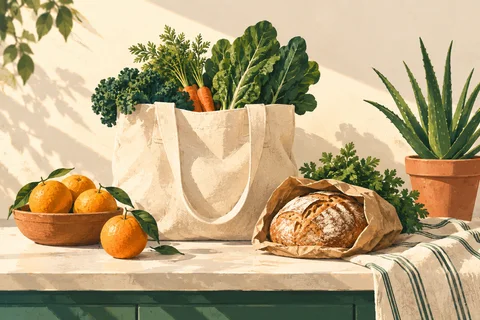
Sample collection
An illustrative selection of bread, fruit and greens. Your shop will show your own products, photos, prices and descriptions.
Example product, artwork and price. No order or payment is created.
From idea to open for orders
Compare the tools and limits, create your account and activate your subscription.
Add your name, products and photos. Choose your look, payment methods and collection or delivery details.
Complete the setup checklist, check your storefront, then share your shop link with customers.
 Your business. Your next chapter.
Built around the way you sell
Take the next step
Compare prices, product limits and included features before you sign up. Choose the tools you need to get started.
Compare shop plansSpaza is a paid subscription. Your shop's payment-provider charges are separate from your Spaza plan.
A few things you may be wondering
Spaza is a platform for creating and running your own online shop. It hosts your storefront, displays your catalogue and gives you a workspace for managing products and orders. You bring your business and customers; Spaza provides the online shopping tools.
No. Your shop gets a hosted Spaza link, and the setup guide takes you through the essentials. Choose a look, add your content and preview it before publishing. Eligible plans can also connect a domain you already own.
Yes. Spaza supports product catalogues for local food sellers, clothing, fresh produce, household goods and general shops. Choose the category that fits your business and check the plan's product limits.
Depending on your plan and setup, you can offer PayFast, EFT or cash on delivery. Online shop payments use the PayFast merchant account you connect for your business. EFT and cash orders remain unpaid until you confirm receipt.
You manage collection and any local delivery you offer. Share your shop link with your customers through channels such as WhatsApp and social media. Spaza does not provide a courier service or guarantee sales.
Yes. After activating a plan and setting up your shop, use the private preview to check its appearance. Complete the required products, payment and fulfilment steps before you publish.
A little local. A lot to love.
Your next chapter can start with one shop link.